The Assessment Profile Report for DORA or DORA Spanish shows the distribution of students across the DORA or DORA Spanish diagnostic profile groups. These groups align to specific interventions: i.e., comprehension-focused, decoding-focused, etc.
Please see below, under attachments, for instructions running report from a teacher account.
HOW TO RUN THIS REPORT
FROM ADMIN/PRINCIPAL ACCOUNT:
Log into the Data Portal from the Admin(Principal) account by clicking on Reporting and selecting DataPortal. 
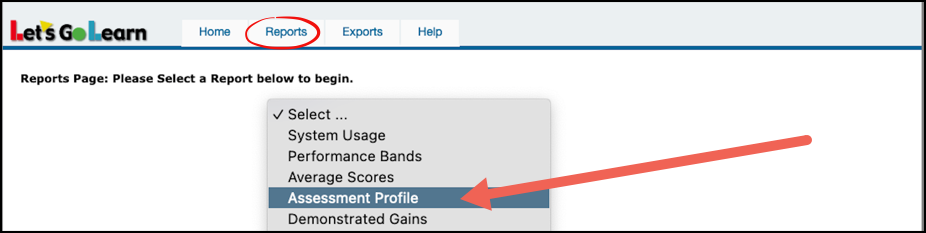
In the Data Portal, click on the Reports tab and select Assessment Profile.
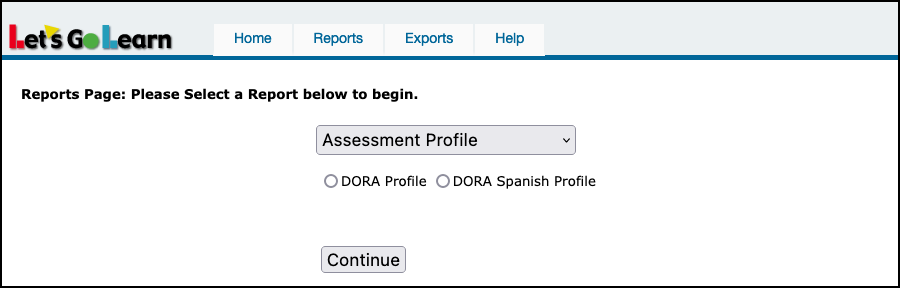
Select either the DORA Profile or the DORA Spanish Profile and then click Continue.
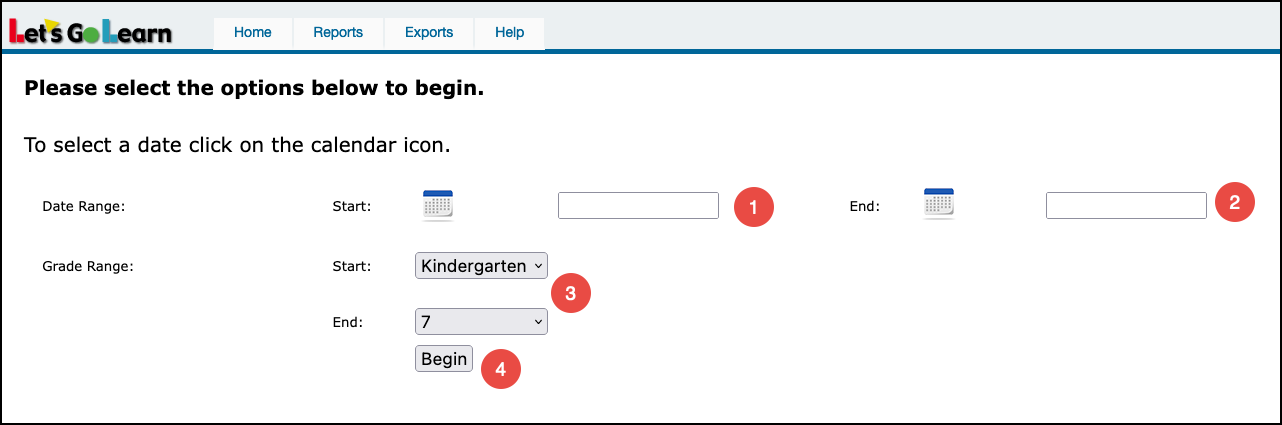
Enter in your testing window parameters. Generally, you will run this over a single testing window to get a snapshot of profiles for a particular period in the school year.
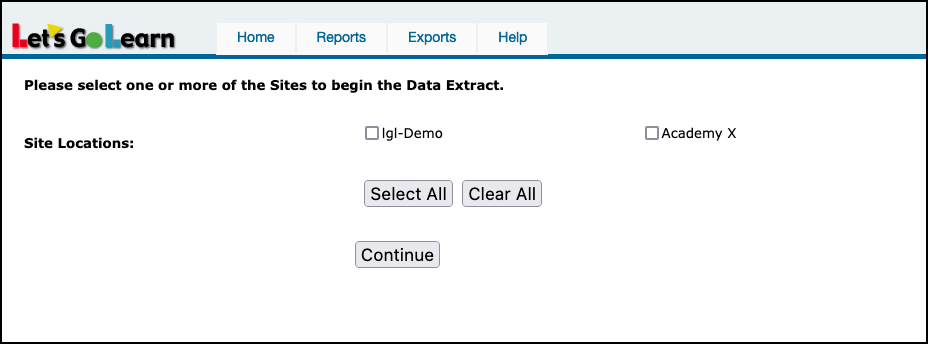
Select Site locations and click Continue.
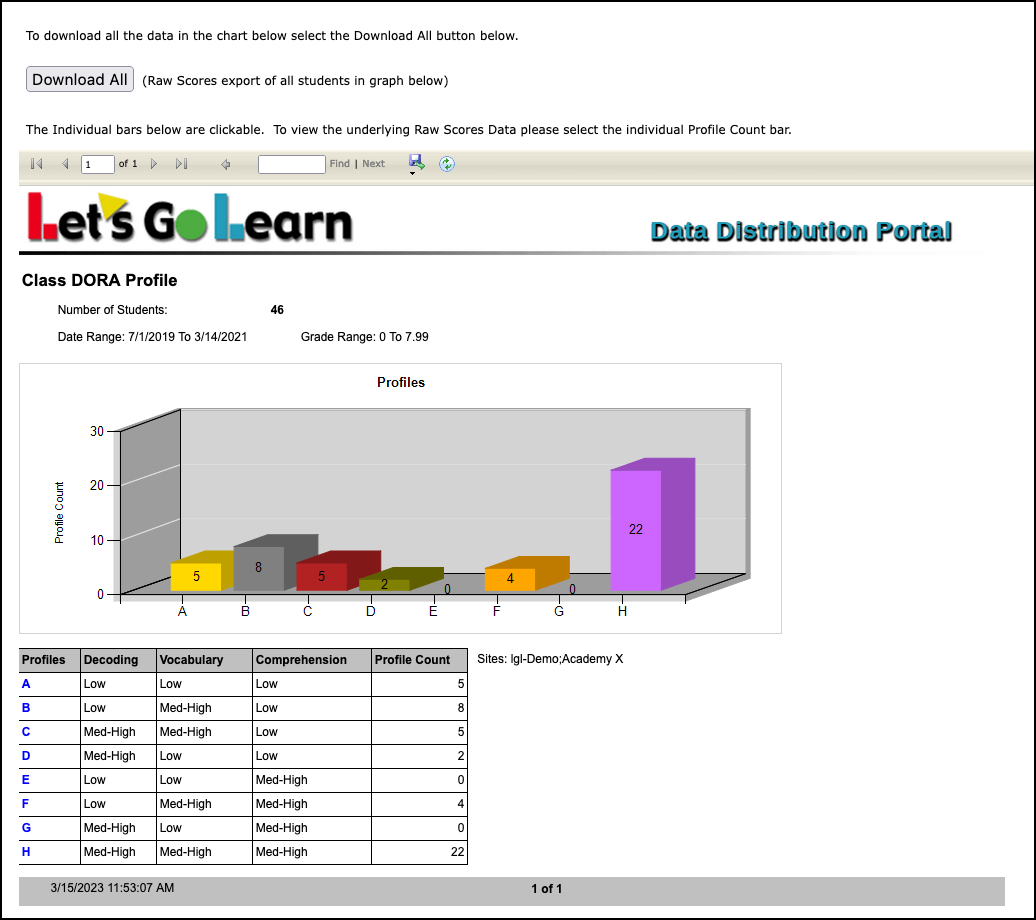
Example report below.
FROM TEACHER ACCOUNT:
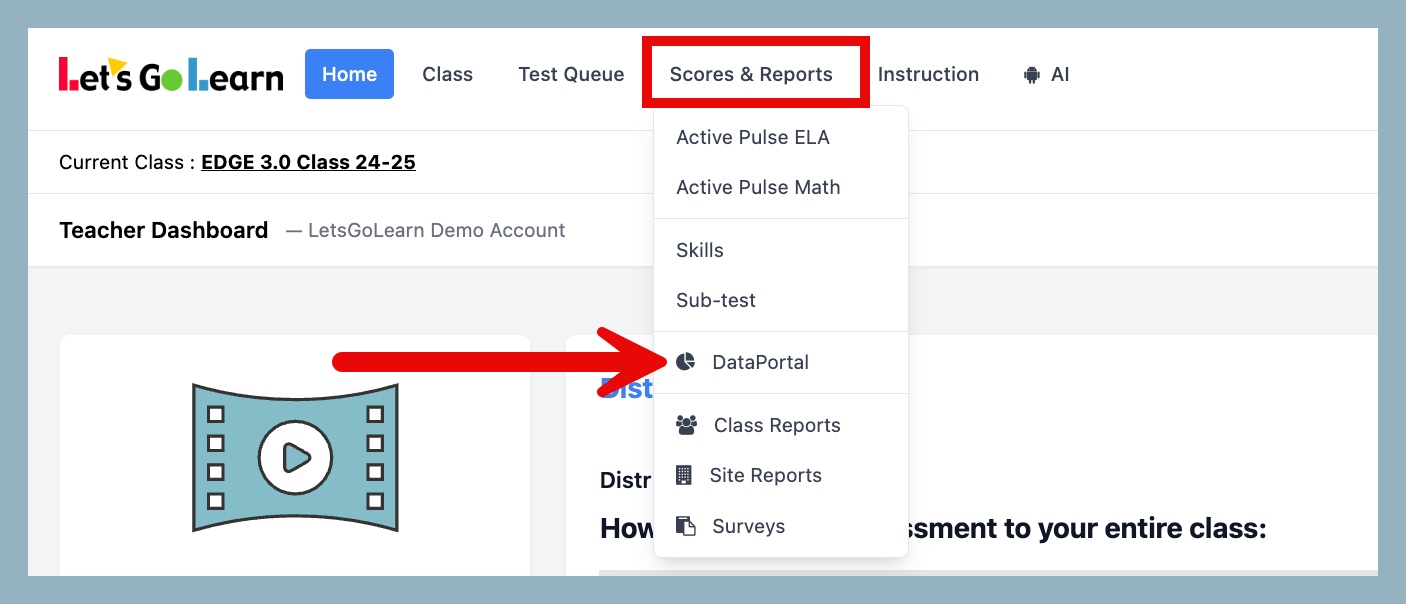
STEP 1 - Log into the Data Portal from the teacher account by clicking on the Reporting tab and selecting DataPortal. You can also access the Data Portal from the Scores & Reports tab.
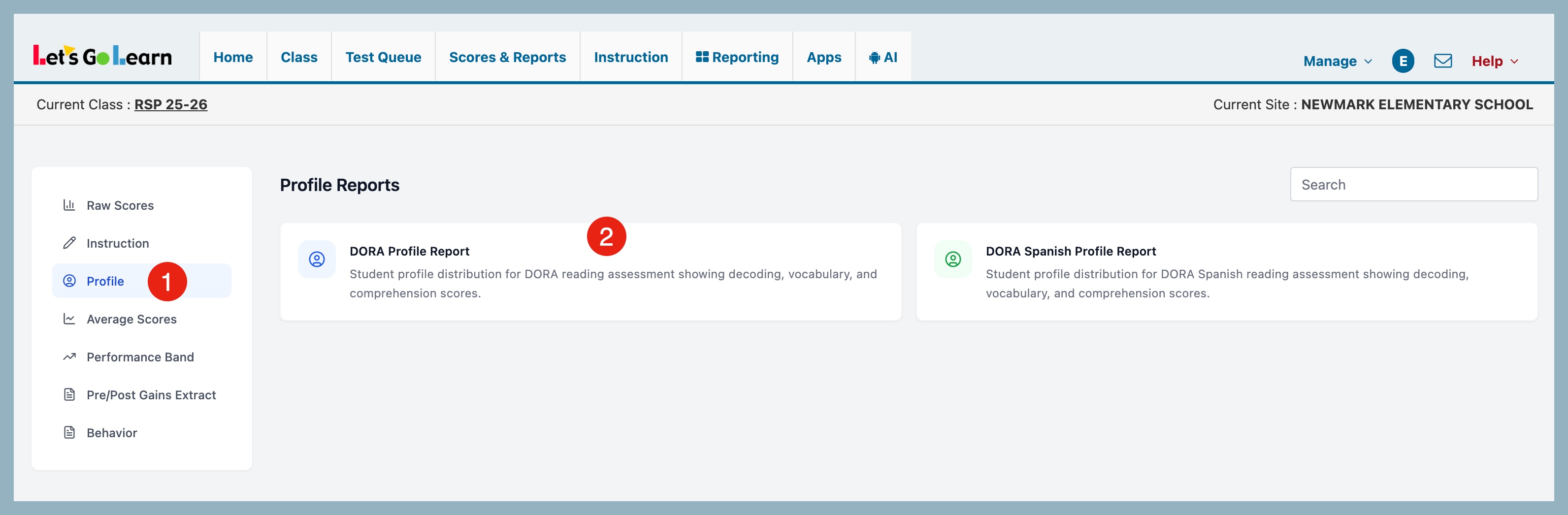
STEP 2 - On the Data Portal page, click on Profile and then click on either the DORA Profile Report or the DORA Spanish Profile Report.
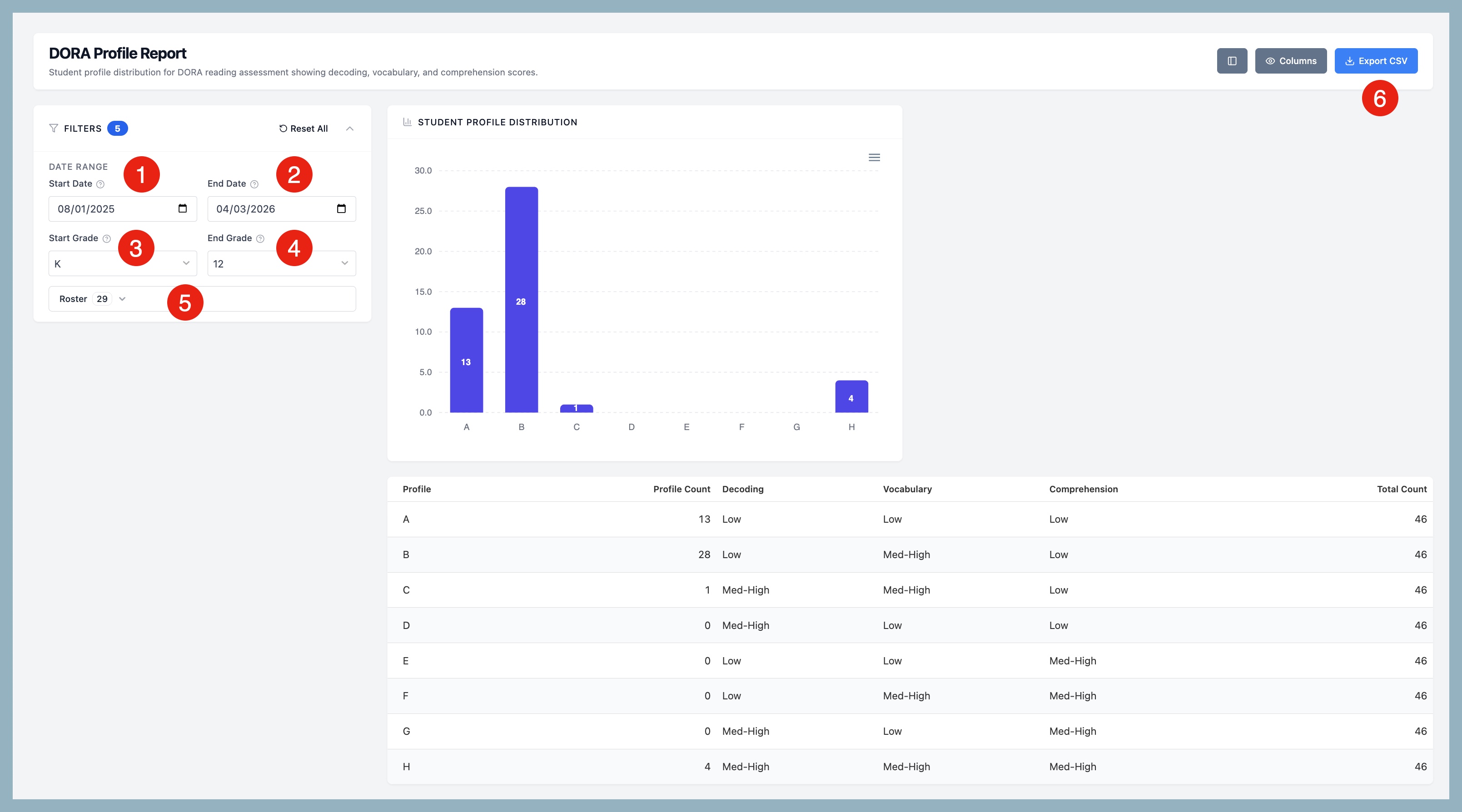
STEP 3 - On the DORA Profile Report page, select your report criteria.
- Start Date - select start grade range
- End Date - select end grade range
- Start Grade - select start grade range
- End Grade - select end grade range
- Roster - select roster(s)
- Export CSV - export your report to a CSV file
Once filters are applied, your report will appear on the page.



 Multiple values found.


 Profile
 Sign up now
 Manage
  Sign out