How to view LCE 2.0 Lessons and resources:
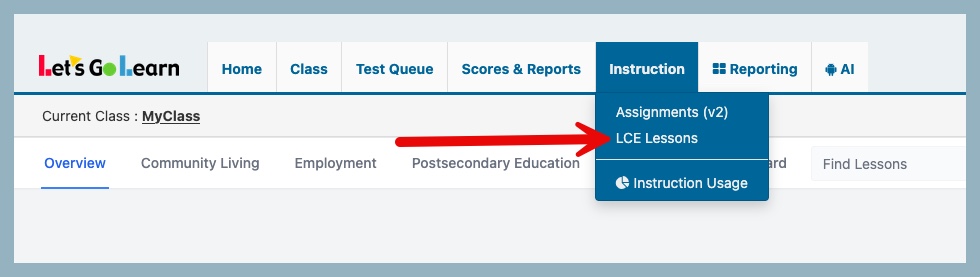
Click on the Instruction tab and select LCE Lessons from the drop down menu.
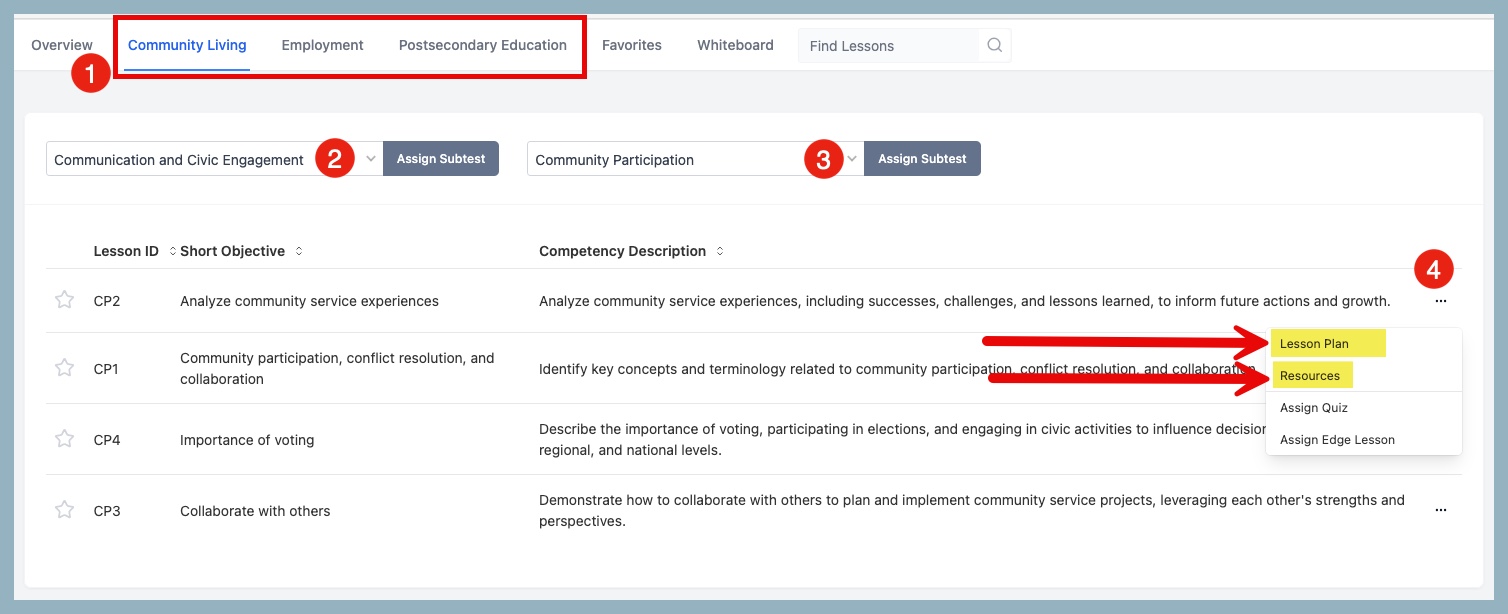
- Select from the three domains: Community Living, Employment, and Postsecondary Education
- Select the Competency
- Select the Sub-Competency
- To view the lessons or resources from the Short Objectives list, click on the 3 horizontal dots to the right of the competency description. Select "Lesson Plan" or "Resources" to view the materials for that objective.
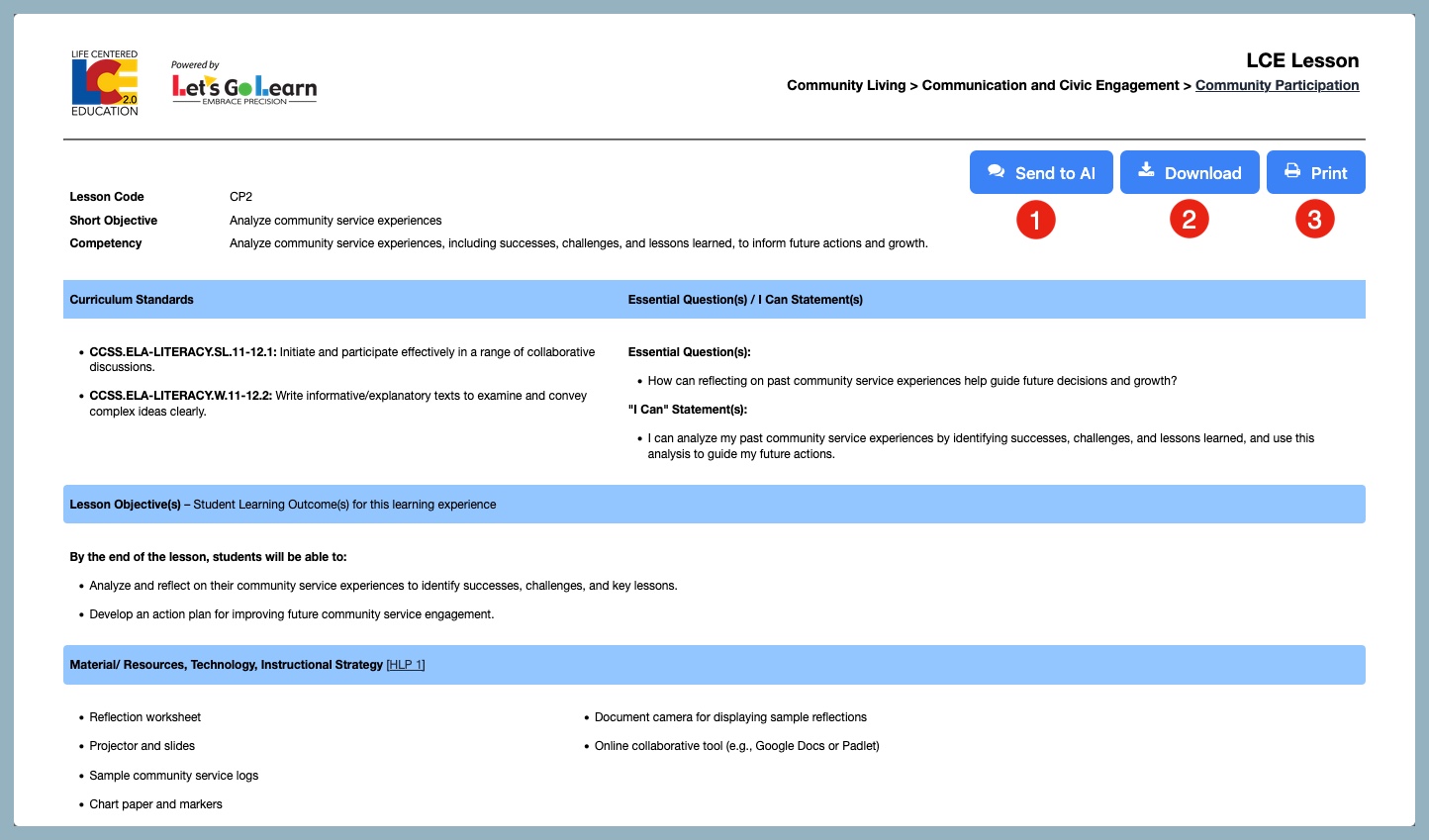
EXAMPLE LCE 2.0 LESSON
Options available on the Lesson page:
- Send the lesson to AI (AI Assistant Lina) to modify the lesson - for more information Click Here
- Download lesson
- Print lesson
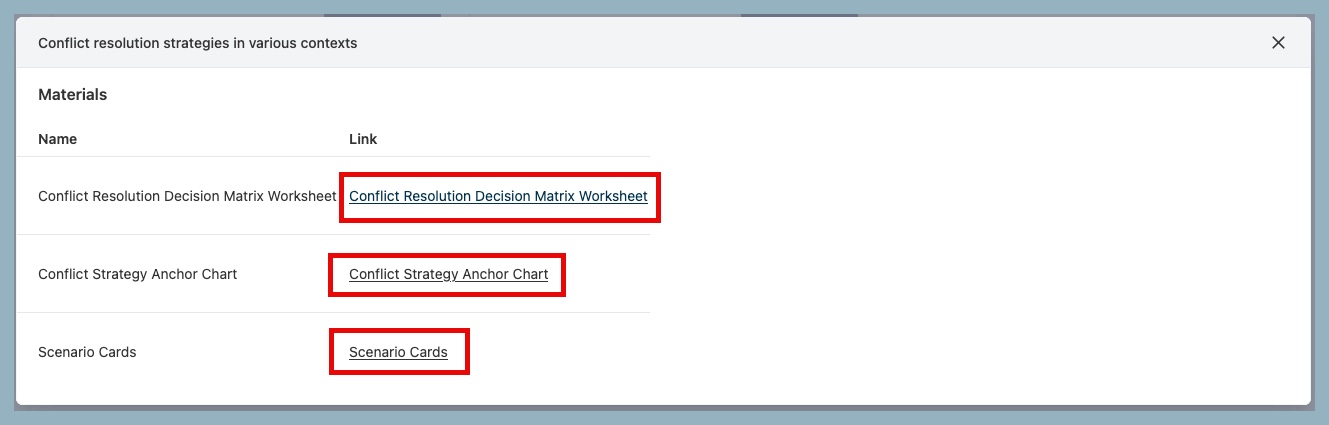
EXAMPLE RESOURCES
To view the available materials, click the download link on the right.



 Multiple values found.


 Profile
 Sign up now
 Manage
  Sign out