How Teachers Access the LGL Data Portal
The LGL Data Portal is designed to store student assessment and instruction data for advanced data analysis.
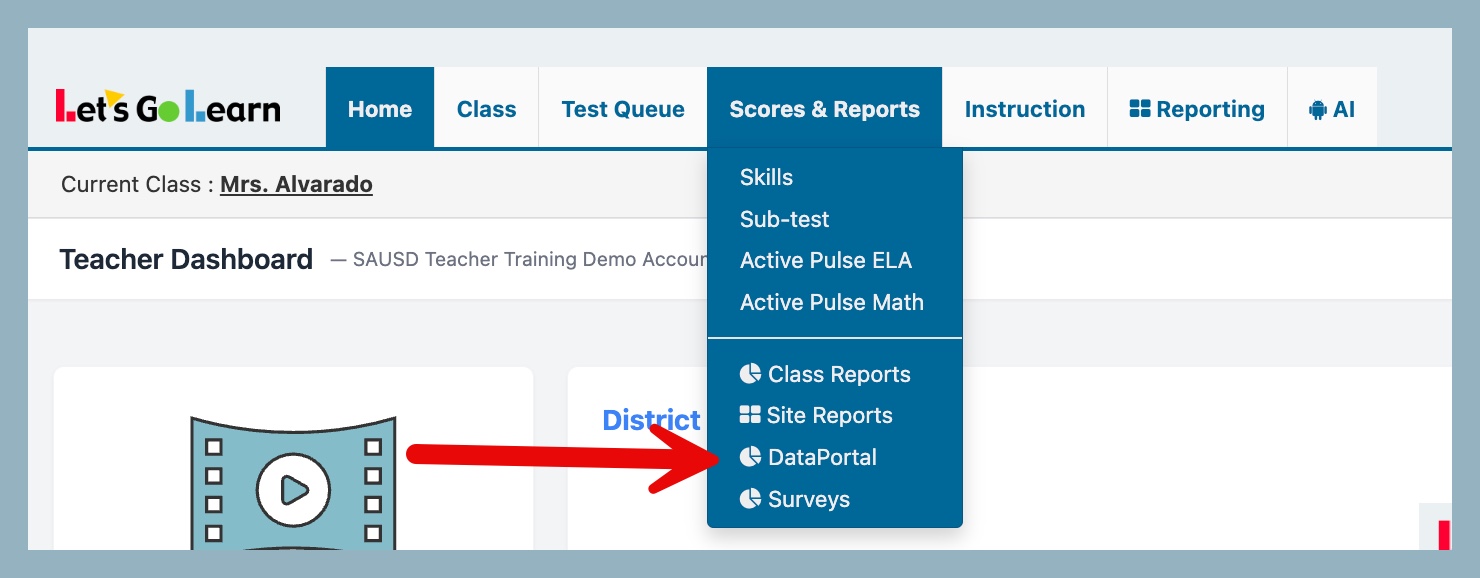
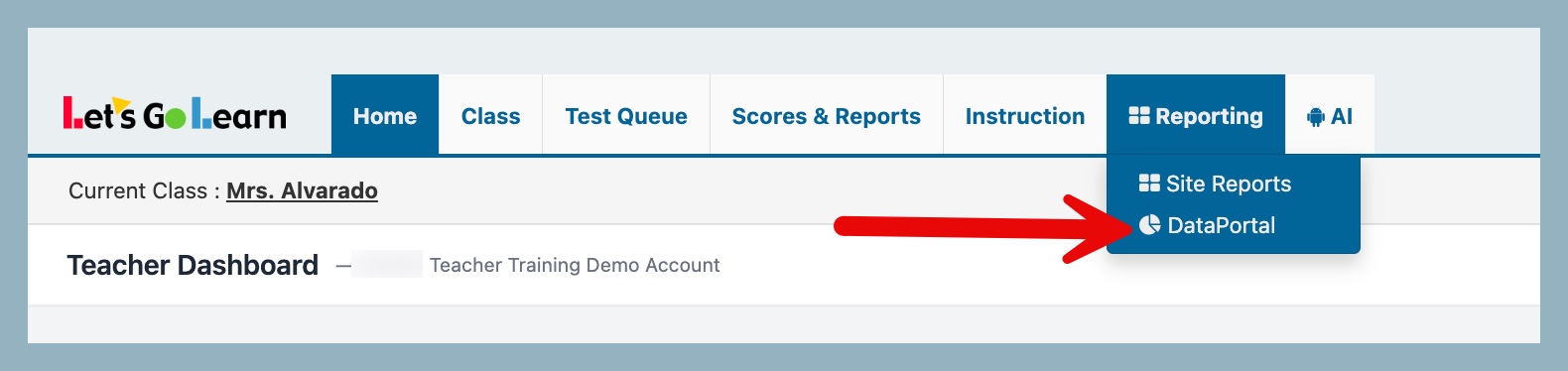
To access the Data Portal from your teacher account, follow these steps:
-
Navigate to either the Scores & Reports or Reporting tab.
-
Select "DataPortal" from the dropdown menu.
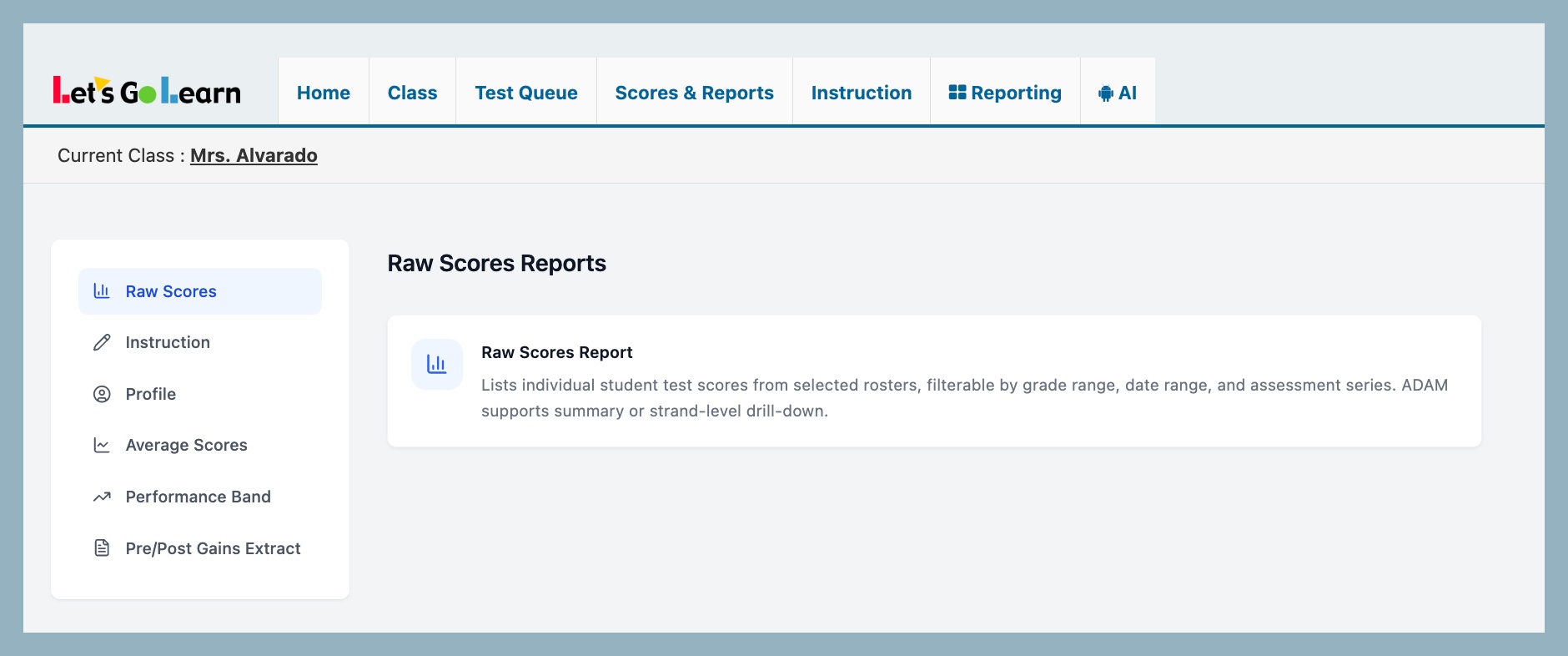
Once on the Data Portal page, you can select the desired report.
Premium Teacher Access:
Additional reports are available, which include Performance Bands, Average Scores, and Assessment Profile. If you are interested in obtaining Premium Teacher Access, please contact customer support at 1-888-618-7323.



 Multiple values found.


 Profile
 Sign up now
 Manage
  Sign out