Although ADAM is an adaptive assessment which adjusts to students' abilities in real-time, if you have older students who are clearly operating multiple years below the 7th grade level, you should consider using the ADAM queue tool to adjust the starting grade level for the assessment. This helps you avoid giving students one or more sets of items in sub-tests that are too hard for them, such as "Number Theory" or "Exponents."
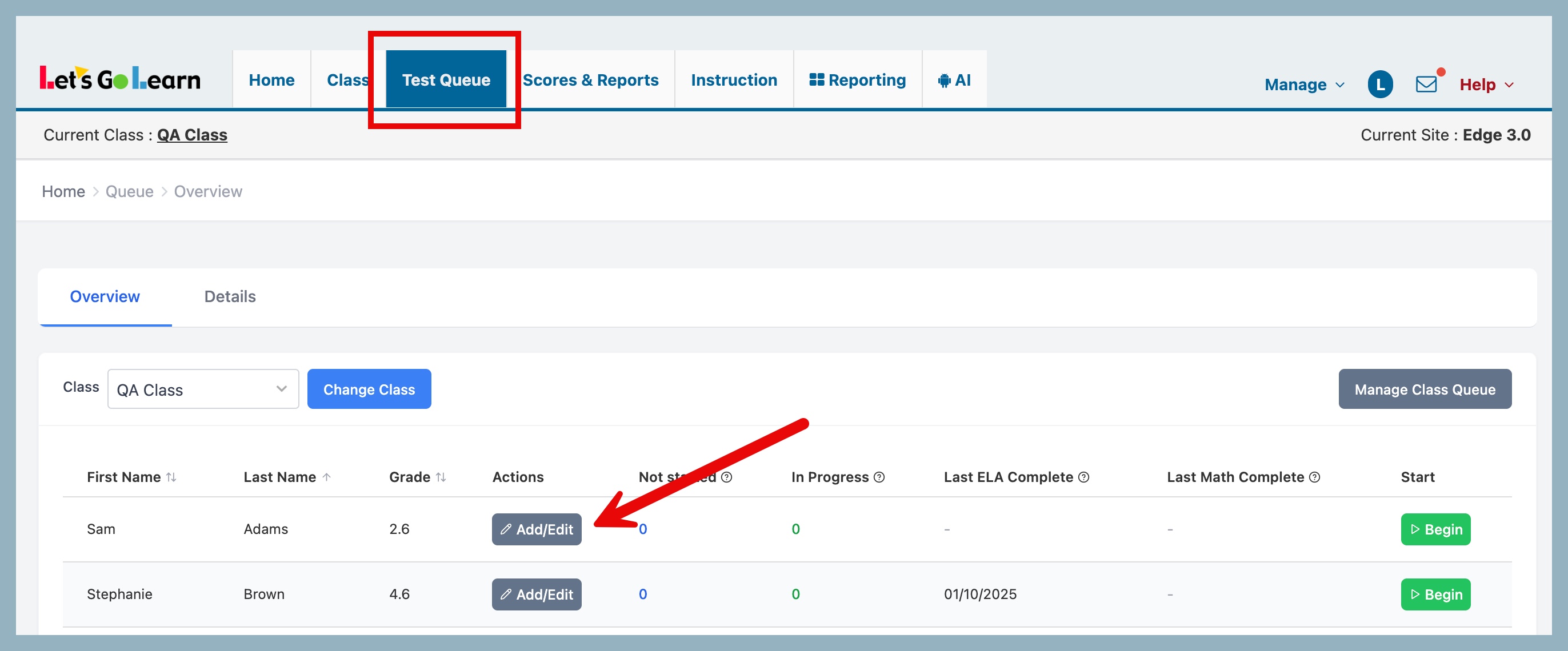
Step One: Click on the Test Queue tab.
Step Two: Click on the "Add/Edit" button for selected student.
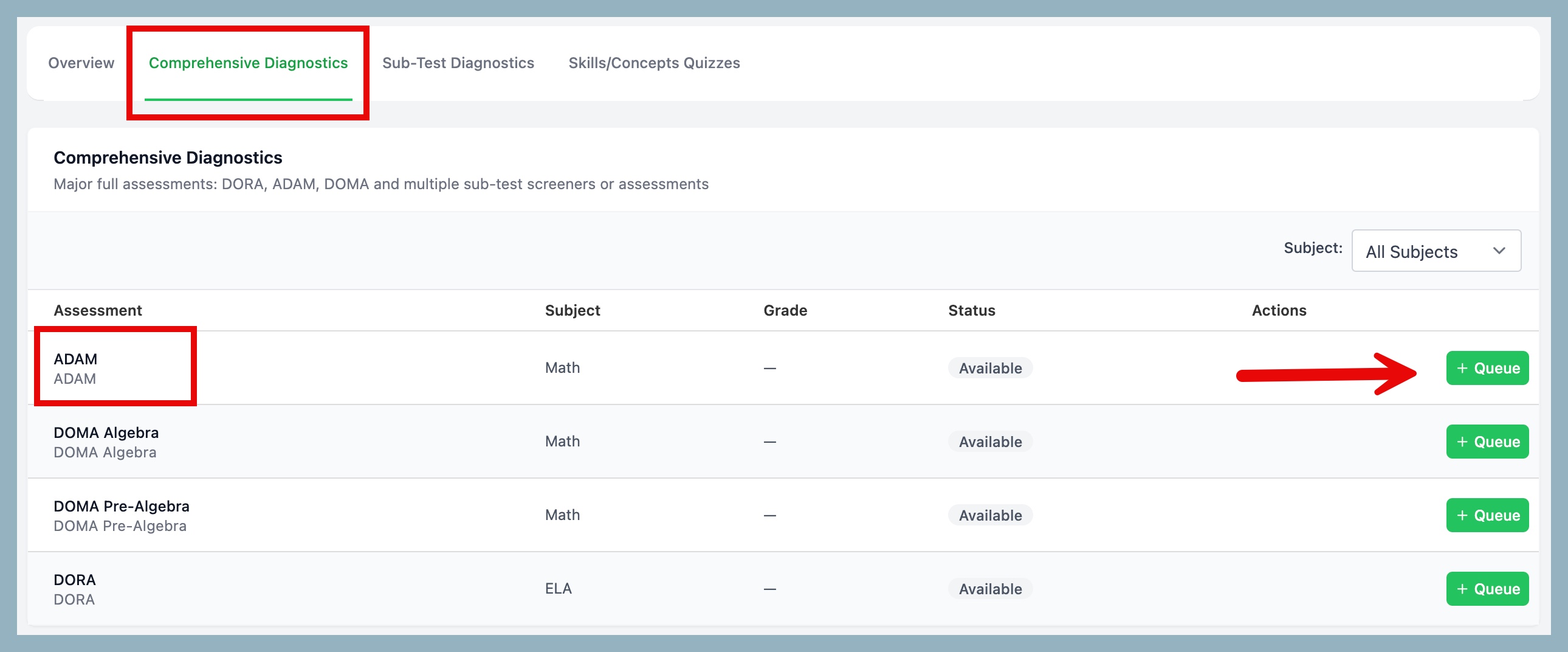
Step Three: Click on Comprehensive Diagnostics. Locate the ADAM Assessnebt row and click on the green Queue button.
Step Four: In pop-up window, select grade for student in the "Optional Override Lever" option and then click on "Queue Assessment" to assign the assessment to the student.

NOTE: Please click below to read about ADAM starting points:
ADAM Starting Points



 Multiple values found.


 Profile
 Sign up now
 Manage
  Sign out