Any teacher can create a set of personal favorites that will appear in the 'Favorites' tab on the main LCE 2.0 page.
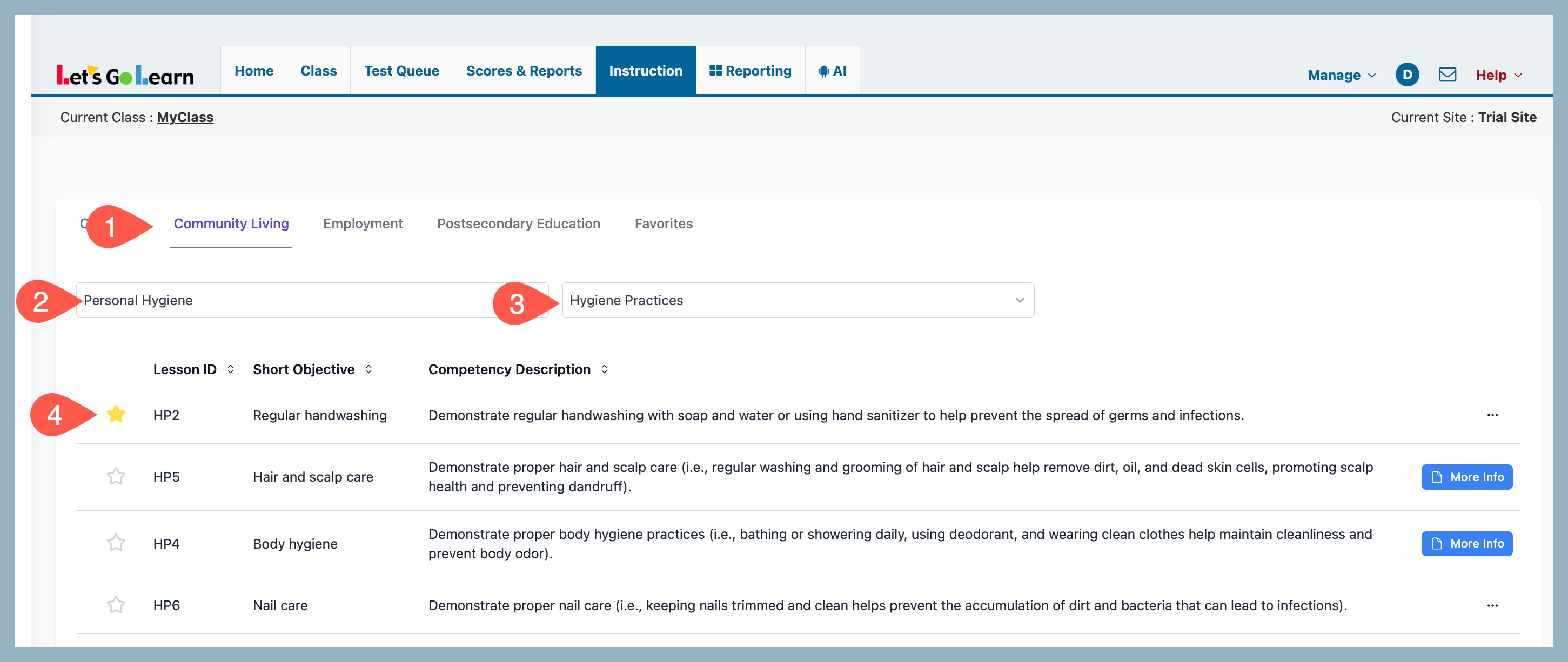
To do this they can click on the star icon that is to the left of any Lesson Plan. Once clicked they can also assign a "Tag." Tags can be personalized with any naming convention.
For teachers who do a lot of upfront planning, they might make the following tags:
- Current
- Upcoming
- Future
- Hold for next year
This way they can go to the Faviorites tab and filter based on these categories.
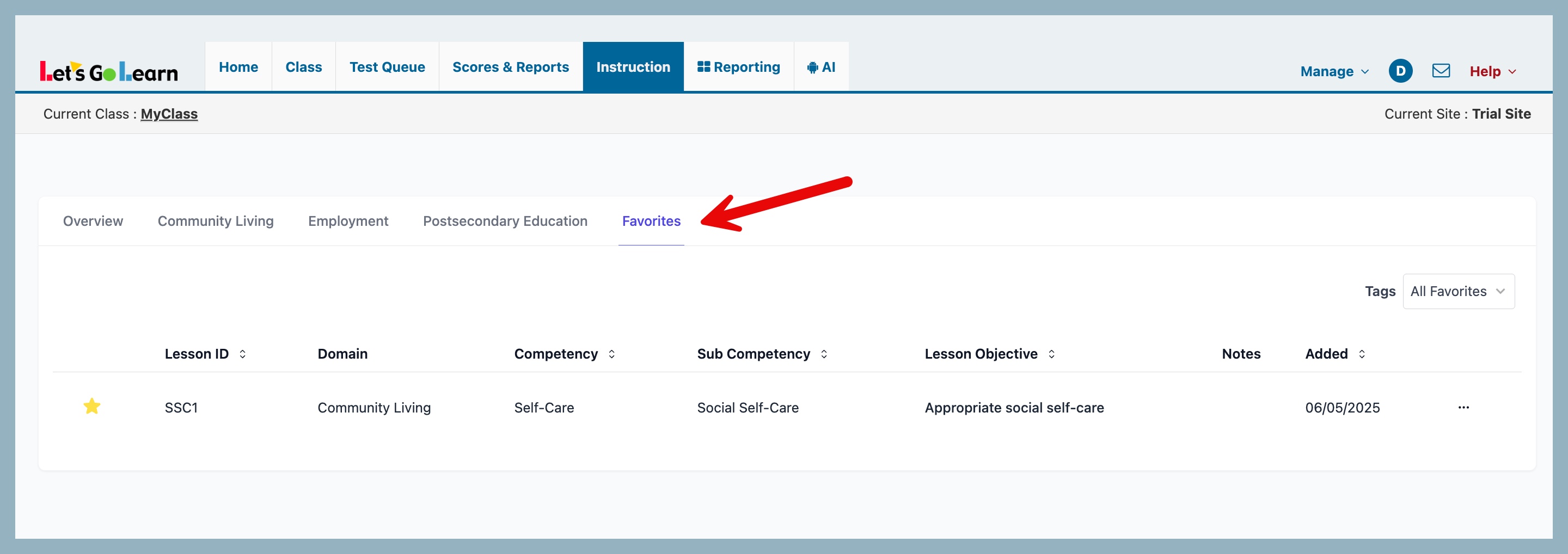
To remove a favorite simple click on the yellow star and it will remove the favorites status for that particular lesson plan.



 Multiple values found.


 Profile
 Sign up now
 Manage
  Sign out