How to view the results of an LCE Skills Quiz:
- Click on the Scores & Reports Tab and select "Skills."
- On this page, you will see a list of the students who have completed a Skills/Concepts Quiz. You can view their last quiz scores and the date completed.
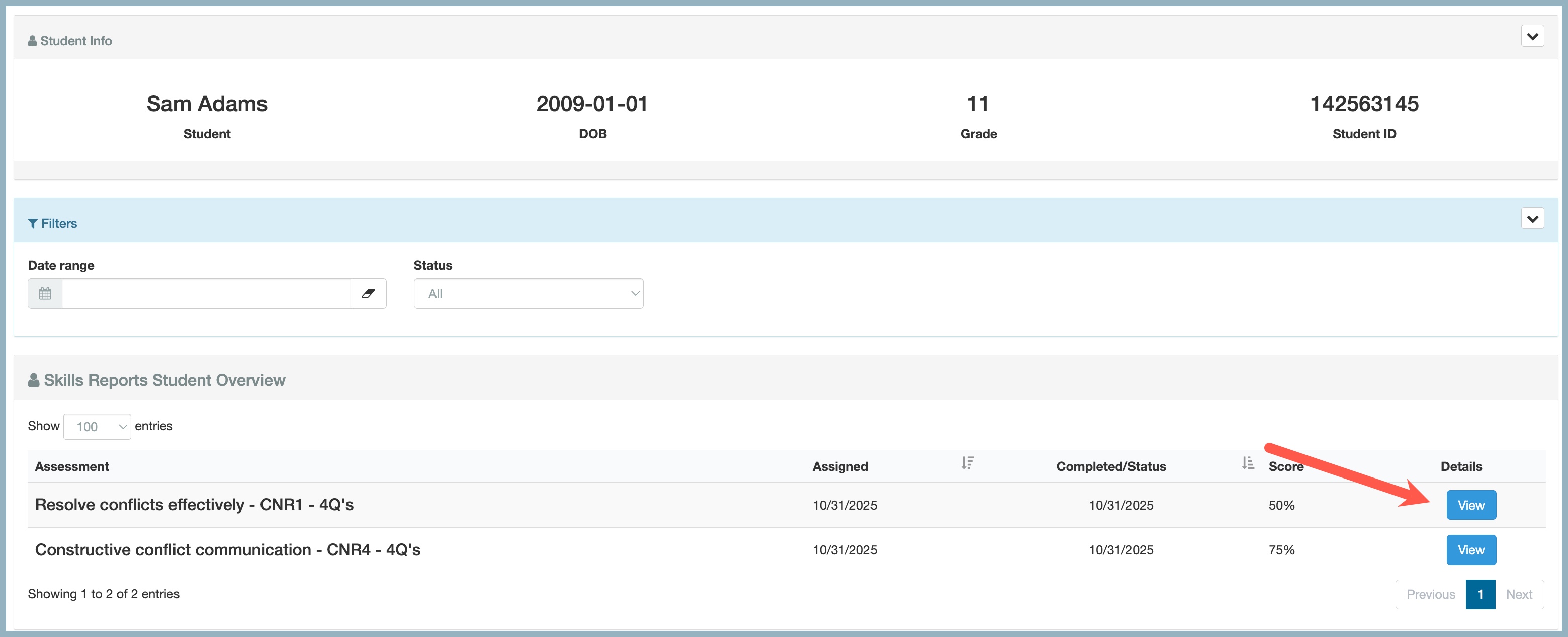
- To view ALL the scores for a specific student, click "Scores."

The "Scores" button allows to you view all the Skills and Concepts Quizzes taken by the student. To view the details of the quiz, click View.
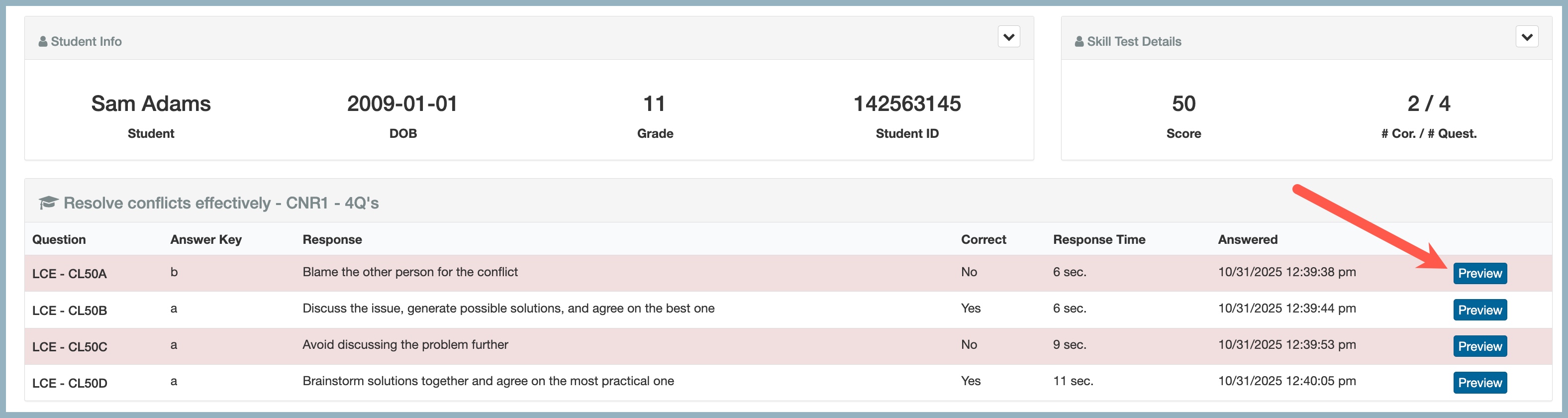
This page will show you in detail the questions that were asked in the quiz. If the student answered a question incorrectly, it will be highlighted in red.
To preview a specific question, click "Preview."
How to view the results of an LCE Sub-test Formative Assessment:
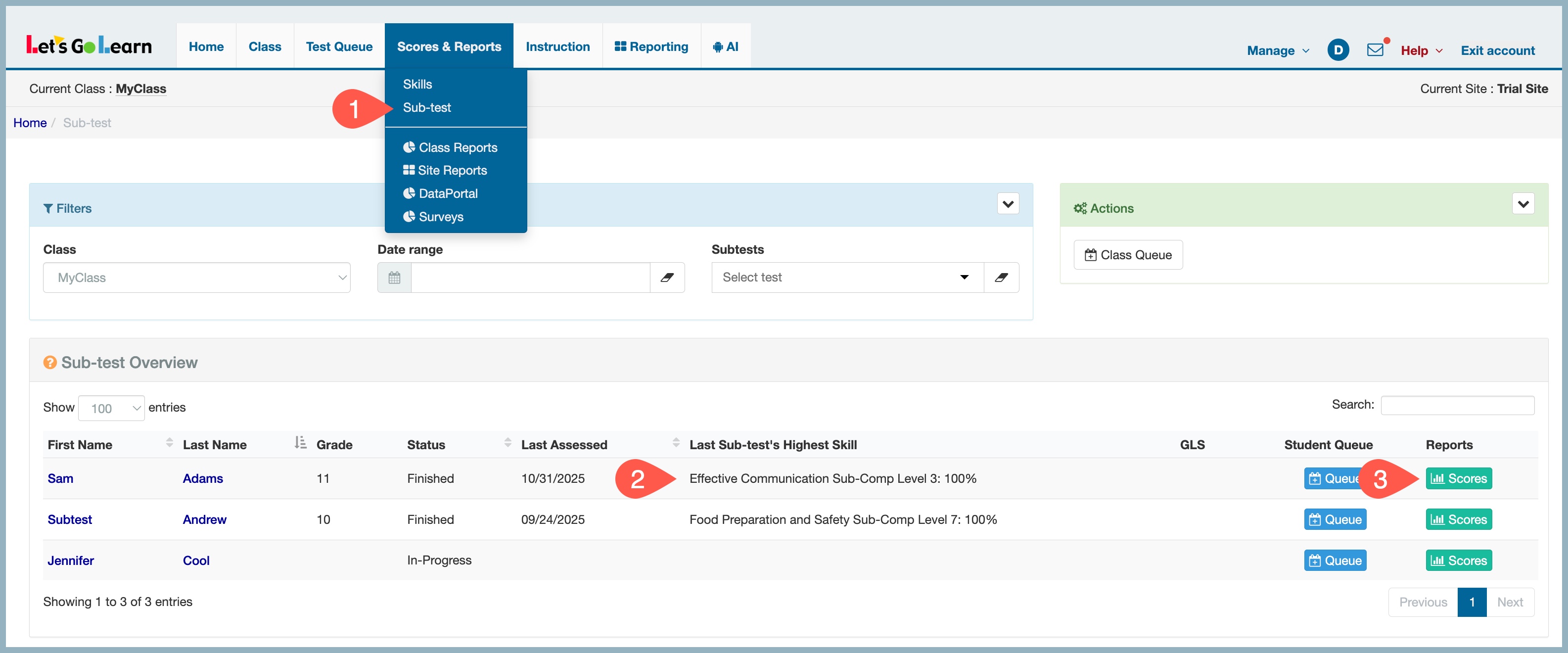
- Click on the Scores & Reports Tab and select "Sub-test."
- On this page, you will see a list of the students who have completed, in-Progress, or queued a Sub-test Formative Assessment. You can view the grade-level score of their last test and the date completed.
- To view ALL the scores for a specific student, click "Scores."
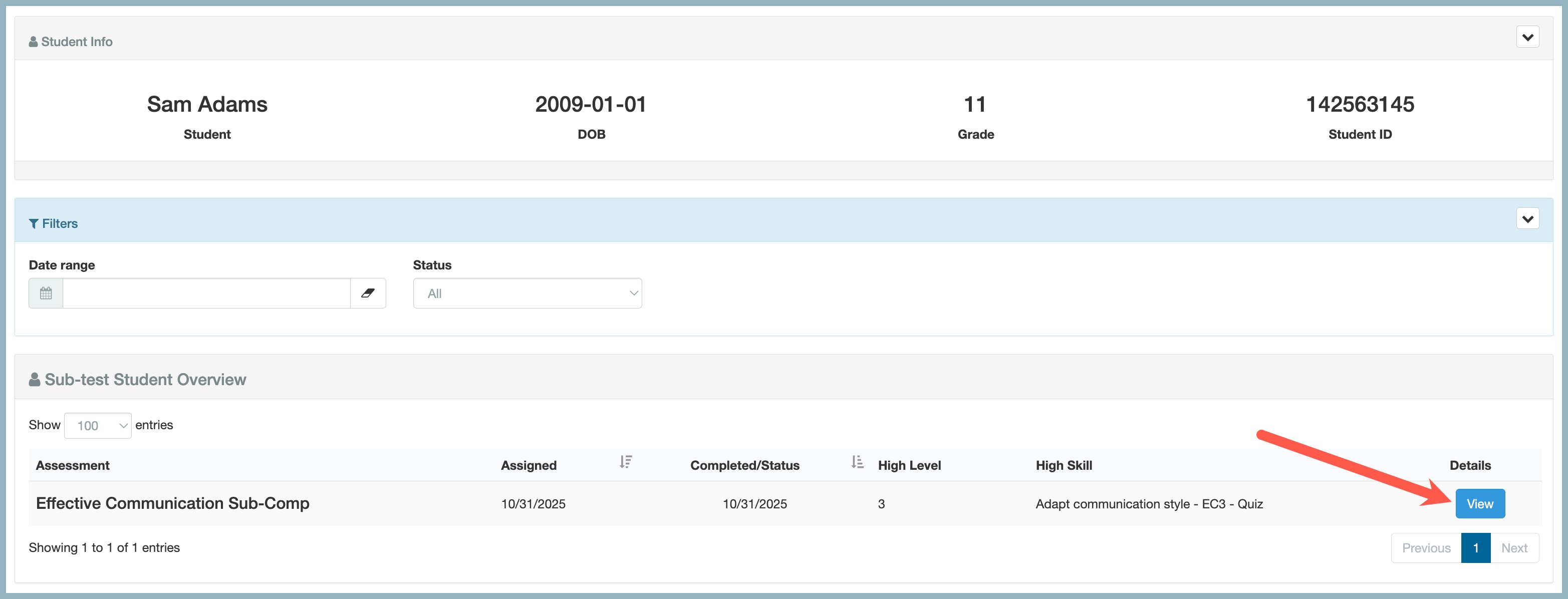
The "Scores" button allows to you view all the sub-test assessments taken by the student. To view the details of the assessment, click View.
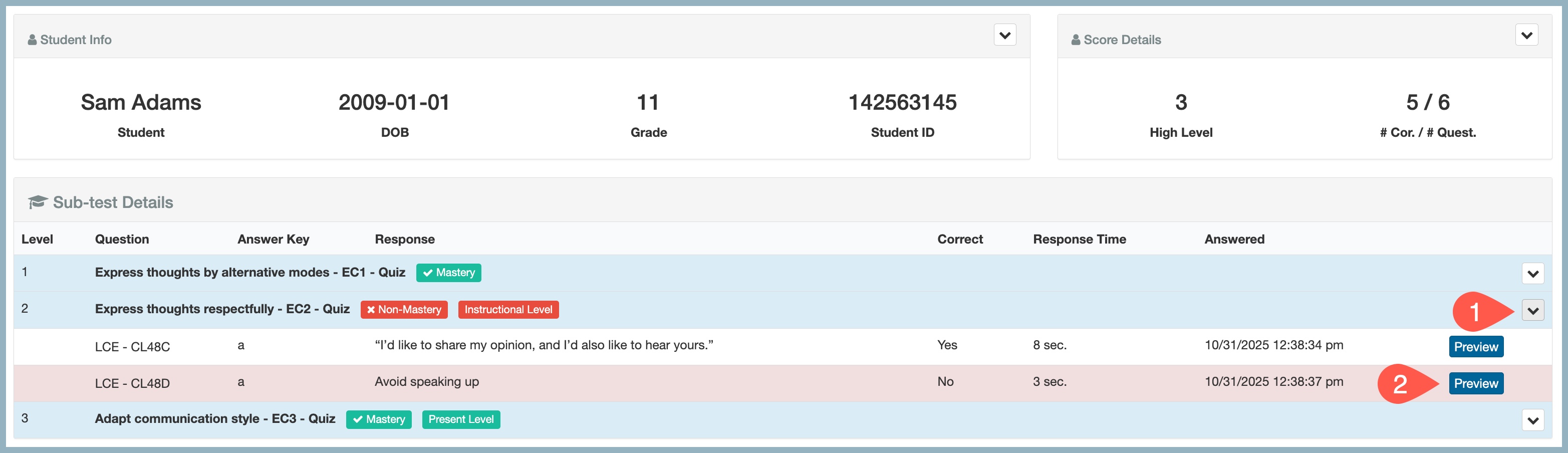
This page will show you the grade-level questions and if they were mastered or not. To view the grade-level questions in detail, click the drop-down arrow on the right of the screen. If the student answered a question incorrectly, it will be highlighted in red.
To preview a specific question, click "Preview."



 Multiple values found.


 Profile
 Sign up now
 Manage
  Sign out